TradingView Alert Not Triggering? 9 Causes, Fixed
On this page
Disclosure: ChartSetupLab earns a commission if you buy a TradingView plan through links on this page, at no extra cost to you. Most fixes below cost nothing.
Short answer: Most TradingView alerts that "didn't fire" actually did fire, just at a different moment than the chart suggests, or they stopped because they expired or triggered too often. Start with the alert log, then work through the causes below in order.
Step 0: check the alert log first
Open the Alerts panel on the right of the chart and switch to the Log tab. Every trigger is listed there with its time.
- The alert is in the log: it fired. Your problem is the notification (cause 9) or the timing (causes 2 and 3).
- The alert is not in the log: it never triggered. Go through causes 1 to 8.
The common causes, and the fix for each
1. The alert expired or stopped
Alerts have an expiry date. On the free plan alerts last one month, and on Essential and Plus two months. An expired alert is greyed out in the Alerts list. Fix: restart it, and set a later expiry if your plan allows.
2. It fired mid-bar, then the condition undid itself
With frequency set to Once, Once Per Minute or Once Per Bar, an alert checks the bar while it is still forming. TradingView's own example: an RSI-crosses-30 alert fires during the bar, but by the close RSI is back above 30, so the chart shows no cross. Fix: if you only care about confirmed signals, choose Once Per Bar Close.
3. Once Per Bar Close felt late
The flip side of cause 2: Once Per Bar Close waits for the bar to finish, and TradingView notes these alerts can arrive with a short delay. On a 1-hour chart, that is up to an hour after the move began. Fix: use a lower timeframe for the alert, or accept intrabar alerts and filter them yourself.
4. The indicator repaints
Some indicators and strategies recalculate past values once new data arrives, so what you see on history is not what was true in real time. TradingView strongly recommends not setting alerts on scripts that repaint. Quick test: add the script, let it run on live data for a while, then refresh the page. If past signals move, it repaints.
5. The indicator uses an offset
Indicators shifted forward or back with an offset plot values in a different place from where they are calculated, so a cross you see on the chart can happen at a different time for the alert. Fix: remove the offset for alerting, or alert on the unshifted value.
6. It triggered too often and was stopped
TradingView stops a regular alert that fires more than 15 times within 3 minutes. Watchlist alerts are limited to 15 triggers per symbol and 1,000 in total within 3 minutes. Fix: tighten the condition (for example, crossing rather than greater-than) or use Once Per Bar Close.
7. You edited the script or settings after creating the alert
An alert runs on the settings it was created with. If you changed the indicator's inputs or updated a custom script afterwards, the alert keeps using the old version. Fix: delete the alert and create it again after any change.
8. The condition is subtly different from what you meant
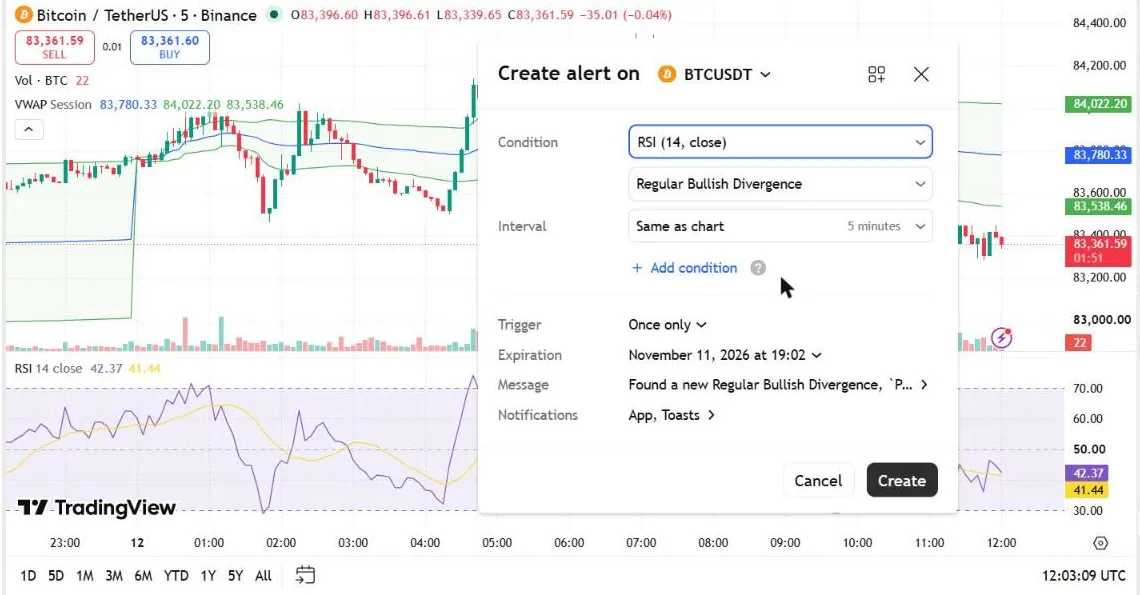
Common slips: Crossing when you meant Crossing Up; alerting on the close when the wick touched your level; or a spread or custom symbol that calculates differently from the chart. Fix: open the alert, read the condition aloud, and compare it with what you want to happen.
9. It fired, but you never got the notification
- App push: make sure notifications are enabled for the TradingView app in your phone's settings, and that you are signed in to the same account.
- Email: check spam and promotions folders.
- Webhook: webhooks require two-factor authentication on your TradingView account, only work on ports 80 and 443, and are cancelled if your server takes longer than three seconds to respond. Check the webhook status column in the alert log. Webhooks are available on paid plans only.
A quick checklist
- Alert shows in the log? If yes, check notifications.
- Not expired or stopped?
- Frequency matches what you want (intrabar vs bar close)?
- Indicator does not repaint or use an offset?
- Alert recreated after editing the script?
- Condition reads exactly as intended?
When upgrading actually solves it
Upgrading will not fix a repainting indicator or a wrong condition. It does help if you are juggling the free plan's three price alerts, need alerts on indicators or webhooks, or want longer-lasting alerts. Essential lifts you to 20 alerts with webhooks; Plus to 100. See which plan fits in our plan comparison, or answer five questions in the plan picker.
Sources: TradingView Help Center articles on alerts and webhooks, checked October 2026.